
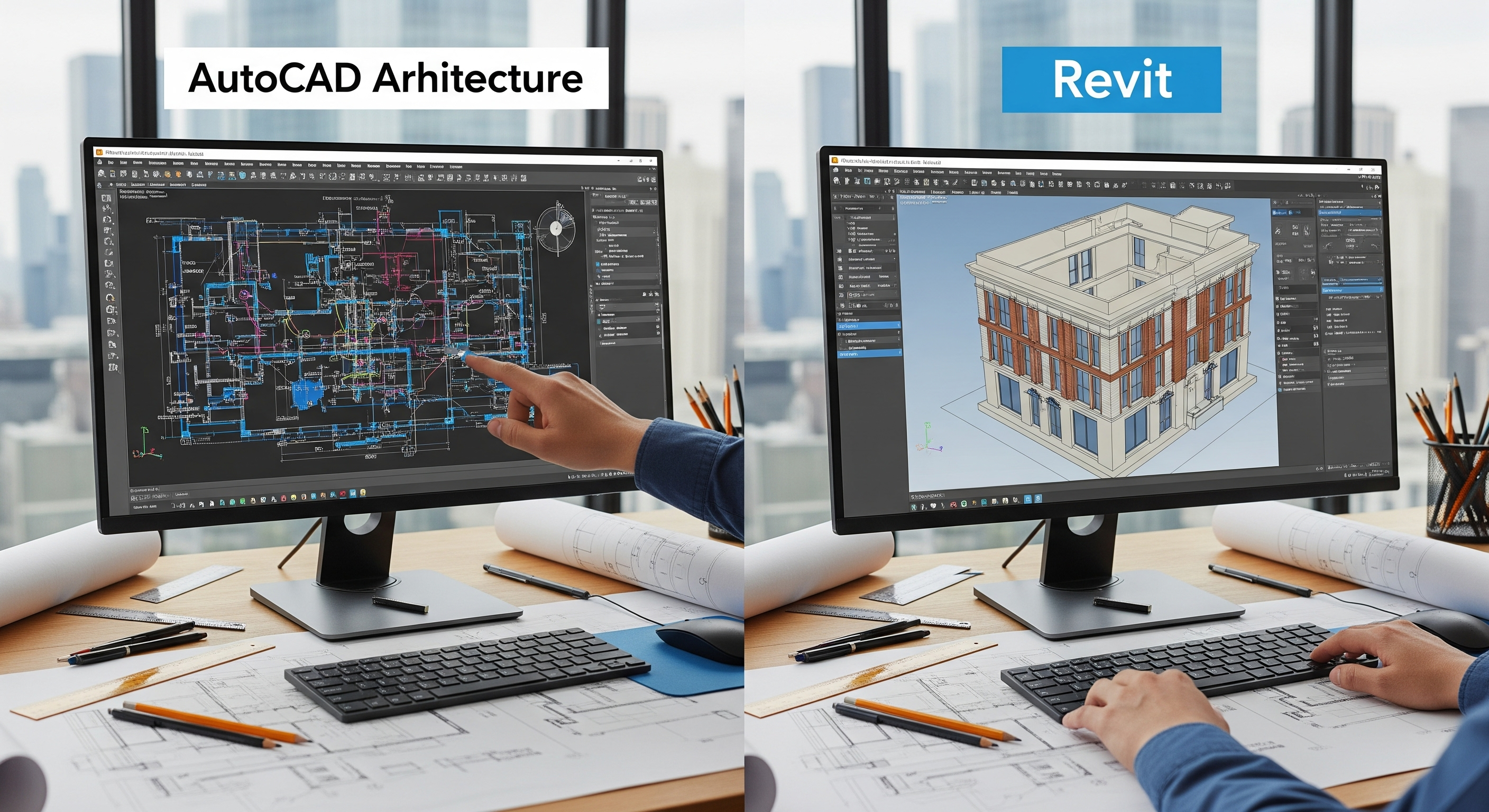
Choosing between AutoCAD Architecture and Revit isn’t just a software decision. It’s a business strategy. It influences your staffing model, deliverables, coordination workflow, and even how clients experience your design. If you’ve been weighing CAD vs BIM for your firm’s next chapter, this deep dive breaks down the tradeoffs in plain language so you can decide with confidence. We’ll look at where each tool shines, where it struggles, and how a smart transition plan lets you move toward architectural Revit without derailing today’s projects.
CAD vs BIM in One Minute
- CAD (Computer-Aided Design): Drawings first. AutoCAD Architecture (ACA) enhances 2D/3D Modeling with architectural objects (walls, doors, windows) and annotations. It’s great for producing plans and details fast, especially when jurisdictions still expect DWG-based submittals.
- BIM (Building Information Modeling): Model-first. Revit is a data-rich, parametric environment where drawings are live views of the same building model. Change the model once; every plan, section, elevation, schedule, and quantity updates automatically.
In short, CAD vs BIM is geometry vs information. CAD is terrific for documenting what you’ve decided. BIM helps you decide better and then documents it automatically.
AutoCAD Architecture: Why Architects Still Love It
AutoCAD Architecture remains popular for good reasons:
- Familiarity and speed in 2D. Many architects “think in plan.” ACA’s drafting ergonomics and keyboard-driven speed still feel unbeatable for early layouts and detail sheets.
- DWG compatibility. AHJs, consultants, and legacy details often live in DWG. With ACA, you stay native to that ecosystem.
- Lower barrier for small jobs. Tenant improvements, straightforward fit-outs, and light renovations can be delivered quickly without building a full parametric model.
- Lightweight files and modest hardware. ACA typically imposes less strain on machines, which helps distributed or budget-conscious teams.
Where ACA strains:
- Manual change management. You must touch every affected view after a change. Elevations, sections, and schedules don’t update themselves.
- Coordination overhead. Cross-discipline conflicts are discovered late, because you’re comparing drawings rather than interrogating a single model.
- Limited data for downstream uses. Quantities, takeoffs, and asset data are spreadsheet-heavy. That’s workable, but brittle when projects evolve quickly.
Architectural Revit: The BIM Advantage
Revit’s value shows up as projects grow in complexity or when revisions pile up.
- Single source of truth. Plans, elevations, sections, details, and schedules are all views of the same parametric model. Update once, and your set stays consistent.
- Automatic documentation. Door counts, finish schedules, room data sheets, and material takeoffs update as the design evolves. “Forgot to change that one note” becomes much rarer.
- Design coordination. With structure and MEP federated, you can see conflicts before they become RFIs. That’s a major win for complex ceilings, shafts, and tight plenum spaces.
- Visualization from the model. You can generate compelling views and walkthroughs directly from architectural Revit without maintaining a duplicate visualization model.
- Lifecycle value. Owners increasingly expect BIM for FM, digital twins, and renovations. Revit’s data structure is the on-ramp.
Where Revit demands discipline:
- Learning curve and standards. Without clean templates, shared parameters, and content governance, teams can struggle. Architectural Revit excellence is as much process as it is software.
- Model performance. Over-modeled families, excessive detail, and unmanaged links can slow large models. You need model-health rules and regular audits.
- Legacy details and DWG round-trips. Revit handles DWGs, but carelessly imports bloat files and pollutes standards. Interoperability requires a plan.
Use the Right Tool for the Job
Choose AutoCAD Architecture when:
- The scope is small, 2D-centric, and time is tight (e.g., a quick TI or permit revision).
- The AHJ mandates DWG-only deliverables and rejects PDFs from BIM sets.
- Your team is predominantly CAD-native and you can’t justify a BIM ramp for this engagement.
Choose Revit when:
- Multiple disciplines need tight coordination (e.g., healthcare, labs, schools, data centers).
- You expect many design iterations and late changes.
- Owners want quantities, schedules, or handover-ready asset data.
- You plan to leverage 3D coordination, prefabrication, or digital twins.
Go hybrid when:
- You must publish DWG sets to a strict jurisdiction but also want a data-rich core. Model in Revit; publish coordinated DWGs using a controlled export map. Maintain Revit as the “source of truth,” with DWGs as deliverables, not the other way around.
Side-by-Side: AutoCAD Architecture vs Architectural Revit
Change Management
- ACA: Manual updates across views; higher risk of inconsistencies.
- Revit: Parametric updates across all views; lower rework.
Coordination
- ACA: 2D overlay checks, late clash discovery.
- Revit: Early 3D interference checks; fewer field conflicts.
Schedules & Quantities
- ACA: Spreadsheet work; risk of drift from drawings.
- Revit: Live schedules; reliable takeoffs tied to the model.
Visualization
- ACA: External render workflow or light 3D.
- Revit: Native 3D views; easy approvals and client engagement.
Team Skill & Setup
- ACA: Low setup; fast for veterans.
- Revit: Requires templates, content, and training—but scales better.
Downstream Uses
- ACA: Primarily documentation.
- Revit: Documentation plus estimating, coordination, asset data, FM.
This is the heart of CAD vs BIM: CAD optimizes drawing production; BIM optimizes building information and reduces rework throughout the project.
The Hidden Costs (and Savings) You Should Consider
- Rework vs ramp-up. ACA’s simplicity can mask the cost of repetitive edits, sheet-by-sheet changes, and coordination misses. Revit asks for upfront discipline but pays back in fewer RFIs and faster design changes.
- Standards investment. Revit requires a one-time push: project template, families, parameters, and view templates. That investment compounds across every future project.
- Training time. With architectural Revit, targeted training (phased plans, worksets, model hygiene) prevents most headaches. Budget for it; you’ll earn it back in fewer “where did that door tag go?” moments.
- Owner expectations. More RFPs require BIM deliverables or reward them with scoring. If your firm competes for larger, complex work, BIM is not just a tool; it’s a market requirement.
Transition Without the Turbulence: A Practical Roadmap
- Pick the right pilot. Choose a mid-complexity project with supportive stakeholders. Avoid mission-critical deadlines for your first architectural Revit rollout.
- Lock a template. Include title blocks, view templates, browser organization, and shared parameters for doors, rooms, finishes, and materials.
- Curate a lean content library. Prefer lightweight, parametric families with consistent naming. Over-modeled content is the #1 performance killer.
- Define exchange points. Publish a mini-BEP: who models what, to what LOD, when models are exchanged, and who resolves clashes.
- Govern DWG bridges. If consultants remain in CAD, establish import/export maps, layer translations, fonts, lineweights, and xref rules to prevent file bloat.
- Audit model health weekly. Tackle warnings, purge unused views, and review file size thresholds. Good models stay fast.
- Measure outcomes. Track a few KPIs; clash closure rate, first-pass approval rate, and schedule gain to prove value to leadership.
Common Myths—Debunked
- “Revit is only for big projects.” Not true. Even modest projects benefit from coordinated elevations, door schedules, and sheet consistency, especially when changes come late.
- “BIM kills creativity.” Also false. Architectural Revit accelerates iteration by letting you test options and see impacts instantly across the set.
- “Clients won’t pay for BIM.” Many already are—indirectly. Fewer RFIs, cleaner submittals, faster approvals, and better cost certainty are business benefits clients notice.
Interoperability: Living in Both Worlds (For Now)
Most firms must straddle CAD and BIM during transition:
- Link DWGs, don’t explode them. Keep DWGs lightweight, layer-clean, and referenced so your Revit file doesn’t inherit CAD clutter.
- Publish with discipline. Create export setups that map Revit categories to CAD layers, lineweights, and linetypes consistently. Your plan checkers will thank you.
- Document the “single source of truth.” Make it clear in your BEP which platform is authoritative for each element. Ambiguity breeds errors.
Decision Checklist for Principals and PMs
Score each item from 1 (low) to 5 (high):
- Project complexity and change frequency
- Multi-discipline coordination intensity
- Owner expectations for data, takeoffs, or FM
- AHJ deliverable requirements (DWG-only vs flexible)
- Team readiness for architectural Revit (training/time)
- Appetite for upfront standards work
- Long-term firm positioning (pursuit of larger, BIM-required work)
If your total leans high on the first three, shifting toward Revit now is smart. If AHJ constraints and team readiness score low, keep ACA where it excels while piloting Revit on the right jobs.
The Bottom Line
AutoCAD Architecture remains a fast, familiar path to 2D deliverables, especially when jurisdictions and partner firms live in DWG. But as projects grow complex and clients expect coordinated sets, live schedules, and data-rich handovers, architectural Revit outperforms by turning drawings into a living model. The smartest strategy isn’t a hard switch; it’s a staged transition that protects today’s deadlines while building tomorrow’s capability.If you’re wrestling with CAD vs BIM, choose the tool that aligns with the outcome you promise: fewer surprises, faster approvals, and a building that reflects your intent, on paper and in the real world. With a focused pilot, tight standards, and steady coaching, your team can enjoy the precision of ACA where it fits and unlock the compounding value of Revit where it matters most.