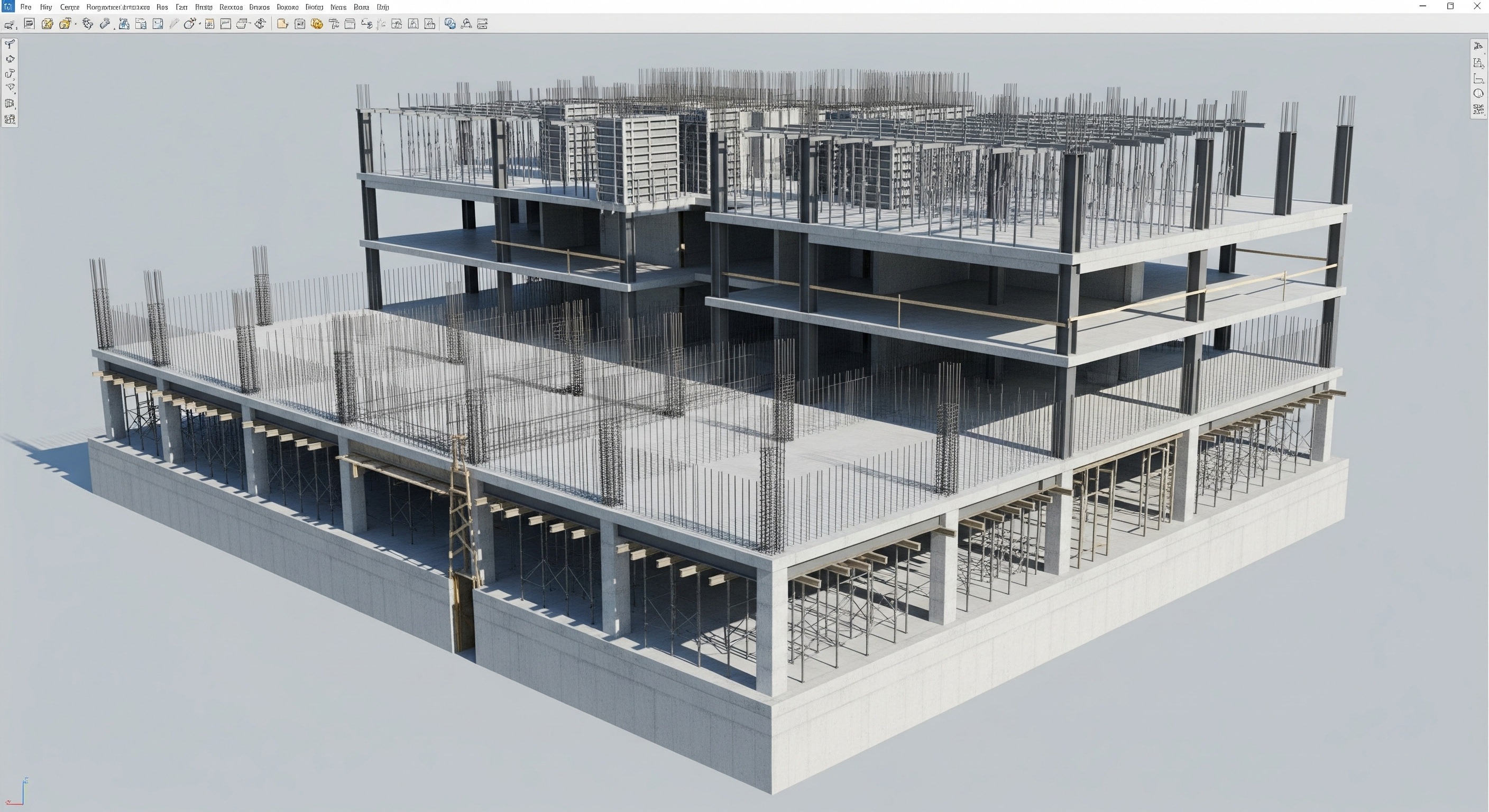
If you’ve ever rebuilt the same drawings three times, once for schematic, again for design development, and once more for CDs, you know the pain of “rework.” Architectural Revit changes that. With an information-rich model at the core, your design evolves in one connected environment, so updates flow through plans, elevations, sections, schedules, and sheets automatically. In this guide, I’ll walk you through how our architectural BIM services use Revit to move from schematic design to construction documents, without rework, while improving coordination, cost visibility, and presentation quality.
Why Revit Beats “Redraw and Repeat”
Traditional workflows rely on disconnected files: one for plans, another for elevations, and a separate spreadsheet for quantities. Every late design change means touching everything, everywhere. Revit flips the script by making every view a live window into the same building model. Edit the model once, and changes cascade to CD sets, schedules, and 3D views instantly.
Additionally, Revit captures design intent as data. That data powers clash detection, cost insight, and facility handover, capabilities that simply aren’t possible in a stack of static drawings.
Our Zero-Rework Roadmap: SD → DD → CD
1) Schematic Design (SD): Set the Foundation Right
We start with a clean project template aligned to your standards: levels, grids, view templates, phases, sheet naming, and annotation styles. We place massing and early program elements to explore stacking, circulation, and daylighting quickly.
- Speed with integrity: Early decisions drive everything later. Using Revit from day one ensures conceptual geometry evolves into a robust model—no “throwaway” drafts.
- Design options: We test alternates in the same file, so your preferred scheme becomes the seed for DD/CD, not a separate redo.
- Legacy inputs: When clients have existing DWGs, our team bridges them carefully. We can reference clean AutoCAD backgrounds or convert legacy geometry using cad drafting services and AutoCAD 3D modeling where needed, without polluting the model.
2) Design Development (DD): Enrich the Model with Intelligence
In DD, we swap masses for walls, floors, roofs, doors, and windows and start building parametric families with correct sizes, materials, and performance attributes.
- Families that work:We use well-behaved, lightweight families. Over-modeled content slows models and creates view clutter; under-modeled content kills accuracy. We strike the right balance.
- Schedules for clarity: Revit schedules become living reports, door schedules, finish schedules, and material takeoffs. This is where early bill of material alignment starts, so estimating and procurement see reliable quantities sooner.
- Early coordination: We federate the architectural model with structural and MEP and run 3D clash services early. Catching conflicts in DD is cheaper than discovering them during shop drawings.
3) Construction Documents (CD): Lock Deliverables, Not the Model
With standards in place and DD rigor applied, producing CDs is straightforward:
- View templates and sheet sets:Uniform graphics across plans, RCPs, elevations, sections, and details. Global tweaks apply everywhere, with no sheet-by-sheet cleanup.
- Detailing done right: We leverage intelligent detail components and keynotes. Revit details are linked to the model, so fewer inconsistencies creep in.
- Change management: Late design decision? Update the model once. Titles, tags, dimensions, and schedules update, so CDs stay truthful without manual rework.
Coordination Without the Chaos
Even the best model can fail if trades aren’t aligned. Our approach keeps model health high and communication crisp.
- Model health checks: We audit warnings, purge unused content, clean view filters, and maintain worksets. A lean model is a fast model.
- Federated coordination: We combine architecture with structure and MEP for targeted clash rules (e.g., duct vs. beam, pipe slope vs. structure, rated walls vs. penetrations). Our 3D clash services focus on constructability, not noise.
- Decision-ready reports: We track clash status by trade and location, assign owners, and close loops in weekly runs, turning clash reports into action, not PDFs that collect dust.
Visualization That Wins Approvals
Stakeholders decide faster when they can see, not imagine. We use 3d rendering and production-grade 3d rendering services to present lighting, materials, and context convincingly, straight from the Revit model.
- Design sign-off: Photoreal views align expectations before CDs and permit submittals.
- Marketing & procurement: Renderings help owners engage tenants and secure materials with defined finishes.
- No duplicate effort: The same model that drives CDs generates the visuals; again, no rework.
Quantities, Takeoffs, and the Bill of Material
Because every Revit element carries data, we can generate reliable takeoffs and a bill of material directly from the model:
- Material takeoffs: By category (walls, floors, roofing, glazing) with parameters you can trust.
- Door/hardware schedules: Coordinated with room numbers and finishes.
- Change-aware costs: When geometry changes, quantities follow, keeping estimators and procurement aligned in near real time.
From CDs to Field and Back: As-Builts Without Headaches
The model doesn’t stop at permits. During construction, RFIs and submittals refine the design. At project closeout, we consolidate final conditions into accurate as built drawings and a record model for operations.
- Digital handover: The same federated model becomes a powerful asset for owners and facility teams.
- Scan-to-as-built: If laser scans are available, we can reconcile the model to point clouds for precise deviations.
- Long-term value: Accurate as-builts mean fewer surprises in future renovations.
When AutoCAD Still Makes Sense (and How to Avoid Rework)
We respect that some teams or AHJs still require DWG deliverables. Our strategy: model in Revit for truth, then publish coordinated DWGs for permit sets. If a consultant works natively in AutoCAD, our cad drafting services and autocad 3d modeling bridge content cleanly, layer standards, UCS alignment, and block naming included, so the “one source of truth” remains the Revit model, not a web of copies.
Common Pitfalls and How We Prevent Them
- Model bloat: Over-detailed families and too many views slow performance. We enforce content standards and purge regularly.
- Unmanaged links: Broken paths and out-of-date links create false clashes. We maintain consistent link structures and a strict update cadence.
- Graphic inconsistency: Without view templates and a sheet plan, CDs get messy. We standardize graphics from day one.
- Late discovery of coordination issues: Running clashes only before permit is too late. We coordinate in DD and iterate weekly.
- Revit-CAD ping-pong: If architecture is in Revit and a consultant is in AutoCAD, unmanaged exports spawn inconsistency. We control exports, mapping, and naming so both worlds stay aligned.
Build vs. Buy: Do You Need a BIM Partner?
You can train in-house teams, but ramping up standards, content libraries, and coordination workflows takes time. A seasoned bim modeling service brings proven templates, QA checklists, automation scripts, and cross-discipline know-how on day one. That means your architect’s design, while we handle the plumbing of the process content, coordination, publishing, and deliverables so you truly move from schematic to CDs without rework.
Our Revit Delivery Checklist (What You Can Expect)
- BEP & LOD plan for SD/DD/CD with responsibilities and exchange points.
- Clean template with title blocks, view templates, annotation styles, and project browser organization.
- Model health rules (naming, worksets, warnings, file size thresholds).
- Family standards (parameters, materials, geometry levels, symbols).
- Clash protocol with weekly metrics and issue closure.
- Schedule set for doors, rooms, finishes, and materials (your emerging bill of material).
- Publishing rules for coordinated PDFs and DWGs (layer mapping, lineweights, fonts).
- Closeout pack: coordinated as built drawings and a clean, archived record model.
The Bottom Line
Revit eliminates the redraw cycle by connecting deliverables to a single, data-rich model. When you combine disciplined standards with early coordination, quantity-driven schedules, and presentation-ready visuals, you ship SD, DD, and CD packages faster and you do it without the pain of rework.
If you’re ready to streamline your next project, our BIM services team can plug in where you need us most from template setup and 3D clash services to visualization, scheduling, and final as built drawings. Let’s turn your vision into a coordinated, constructible model and deliver CD sets that stay accurate as the design evolves.